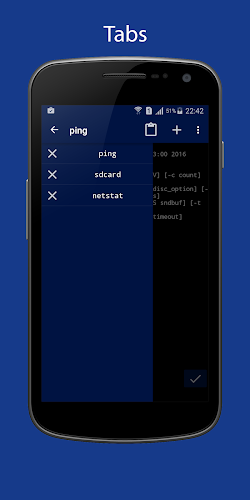
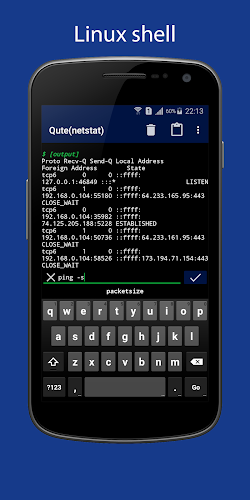
Qute is a powerful command console and terminal emulator app for Android devices that brings the Unix command line shell to your smartphone. With Qute, users can effortlessly execute various system commands, run Bash scripts, and manage files similar to Linux and Unix operating systems. Whether you need to configure network settings, install applications, or access servers via SSH, Qute has you covered. The app supports rooted devices, allowing users to perform tasks as superusers. With features like automatic prompts, a Bash script editor, and the ability to work with standard Linux commands, Qute is the go-to solution for those seeking greater control and efficiency in managing their smartphones.
Features of Qute:
Power of Unix on Your Smartphone
Qute brings the power of Unix to your smartphone, allowing you to execute system commands, run scripts, and perform tasks that are typically reserved for desktop computers. With Qute, you can manage your device with the same level of control and flexibility as a computer operating system.
Intuitive Interface for Easy Navigation
Despite its advanced functionalities, Qute features an intuitive interface that is easy to navigate, making it accessible to users of all levels. Whether you are a seasoned system administrator or a novice user, Qute's user-friendly design ensures that you can efficiently utilize the terminal emulator.
Task Automation and Efficiency
By running Bash scripts and utilizing a wide range of standard Linux commands, Qute enables users to automate tasks and maximize efficiency. From configuring network settings to managing files, Qute streamlines operations and enhances productivity.
Playing Tips
Customize Your Commands
Take advantage of Qute's personalized list of commands to streamline your workflow and increase productivity. By creating shortcuts and setting up automatic prompts, you can tailor the app to suit your specific needs.
Explore Advanced Features
Delve into Qute's advanced features, such as working with root rights and accessing servers via SSH, to unlock the full potential of the app. Experiment with running bin files in the terminal and managing files with nnn to discover new ways to optimize your device usage.
Utilize Task Automation
Make use of Qute's Bash script editor to automate repetitive tasks and simplify complex operations. By running scripts for common tasks, you can save time and effort while increasing the efficiency of your workflow.
Conclusion
Qute offers a powerful and versatile solution for users seeking to harness the capabilities of a Unix terminal on their Android device. With features such as task automation, root access, and support for standard Linux commands, Qute empowers users to take full control of their devices and enhance productivity. Whether you are a system administrator or a casual user, Qute's intuitive interface and advanced functionalities make it a valuable tool for optimizing your mobile experience. Experience the convenience and efficiency of working with a Unix terminal on your smartphone with Qute.